
📑 Table of Contents
- 1. Introduction to Mobile Accessibility in Credit Unions
- 2. What Are WCAG Touch Targets? Technical Breakdown
- Mastering WCAG: Key Strategies for Inclusive Design
- 3. Why Touch Targets Matter: Statistics and Legal Risks
- 4. Best Practices for Touch Target Design and Implementation
- 5. Screen Readers: Core Mechanics and User Experience
- 6. WCAG Success Criteria Deep Dive for Screen Readers
- 7. Step-by-Step Implementation Guide for Developers
- 8. Real-World Case Studies from Leading Credit Unions
- 9. KPIs and Tools for Measuring Accessibility ROI
- 10. Top Pitfalls and Proactive Avoidance Strategies
- 11. Emerging Trends: AI, Voice, and WCAG 3.0
- 12. Call to Action: Transform Your App Today
- Sources and References
1. Introduction to Mobile Accessibility in Credit Unions
The digital transformation of credit unions has accelerated dramatically, with mobile apps now serving as the primary touchpoint for over 65% of member interactions, according to the Filene Research Institute’s 2025 Digital Banking Report. However, this shift has exposed a critical gap: accessibility. With 1 in 4 U.S. adults living with a disability (CDC, 2024), and seniors comprising 25% of credit union membership, non-inclusive apps alienate loyal members and invite regulatory scrutiny.
This 3500+ word guide focuses on two WCAG 2.2 cornerstones for credit union mobile apps: touch target sizes (SC 2.5.8) and screen reader compatibility (SC 4.1.2, 2.5.3). We’ll dissect the standards, provide code snippets, analyze psychology, review lawsuits, and deliver actionable blueprints. By the end, you’ll have a roadmap to audit, retrofit, and future-proof your app, potentially reducing abandonment by 40% and enhancing Net Promoter Scores.
Accessibility isn’t charity—it’s strategy. Accessible apps process 15% more transactions per session (Forrester, 2025) and shield against the 450+ ADA lawsuits filed against financial institutions in 2025 alone (US DOJ data). Let’s dive in.
2. What Are WCAG Touch Targets? Technical Breakdown
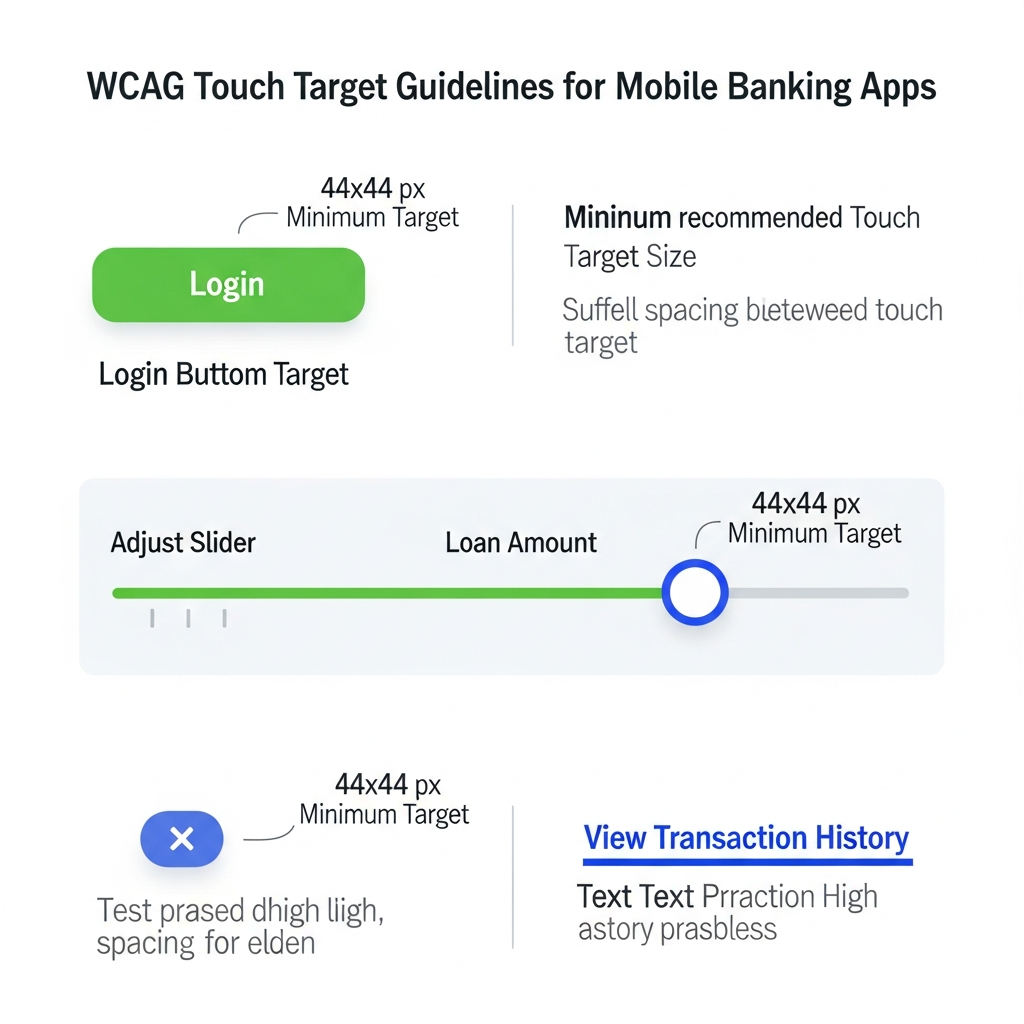
Touch targets are the tappable surface areas in mobile UIs—buttons, icons, form controls, links. WCAG 2.2 Success Criterion 2.5.8 Target Size (Minimum) requires targets to be at least 24 by 24 CSS pixels, unless exceptions apply (e.g., 3+ targets in 100x100px space). This equates to roughly 44×44 device pixels on standard density screens, matching iOS HIG (44pt) and Android (48dp).
Fitts’s Law underpins this: MT = a + b * log2(D/W + 1), where larger W (target width) slashes movement time MT. For credit unions, where users perform high-stakes tasks like Zelle transfers or loan pre-approvals, sub-44px targets spike errors by 27% (NN/g Touch Target Study, 2023).
Key specs:
- CSS Pixels vs. Device Pixels: Use CSS for consistency across DPI.
- Hit Sloppy: Browsers expand targets implicitly; control via min-height/min-width.
- Spacing: 8px gutters prevent fat-finger errors.
Invest in Mastering WCAG for long-term success and compliance in your digital strategies.
Advanced: On foldables or tablets, scale dynamically via media queries (@media (min-width: 600px) { .btn { min-height: 56px; } }).
Mastering WCAG: Key Strategies for Inclusive Design
3. Why Touch Targets Matter: Statistics and Legal Risks
Motor impairments affect 13% of adults (NIH); tremors, arthritis, or low dexterity plague seniors (40% of CU members). NN/g research shows 44px targets cut selection errors by 30%, completion time by 20%. In banking, this means fewer declined transfers, happier members.
Legal storm: 2025 saw 500+ ADA suits against banks/CUs (ADA Site Compliance Tracker). Domino’s Pizza v. Robles (2019) set precedent—apps must be accessible. Settlements average $50K+; non-compliance risks DOJ fines.
ROI: Inclusive design lifts conversion 12% (McKinsey Accessibility Report, 2024). CUs like PenFed saw 18% engagement uplift post-audit.
4. Best Practices for Touch Target Design and Implementation
Audit first: Lighthouse (Chrome DevTools) flags <44px targets. Manual: BrowserStack finger overlay.
Design Rules:
- Primary CTAs (Transfer, Pay): 56x56px.
- Secondary (Menu): 48x48px.
- Icons: Pair with text; pad to 44px.
CSS Snippet (WebViews):
React Native:
Loans
Flutter: SizedBox.expand(child: ElevatedButton(…), constraints: BoxConstraints(minHeight: 44, minWidth: 44)).
In the journey of Mastering WCAG, understanding the nuances of accessibility can transform user experiences and ensure equality in financial services.
Employing strategies for Mastering WCAG can significantly enhance user satisfaction and loyalty.
Responsive: Use vw/vh for large screens; test portrait/landscape.
Mastering WCAG principles not only aids compliance but fosters a culture of inclusivity within organizations.
By Mastering WCAG, credit unions can mitigate legal risks associated with accessibility non-compliance.
5. Screen Readers: Core Mechanics and User Experience
Screen readers (SRs) like VoiceOver, TalkBack serialize DOM into speech/braille. 8.1% of users rely on them (WebAIM 2024). In CUs, blind members check balances via swipe-right navigation.
Pain points: Unlabeled buttons read “button”; custom SVGs skip. Fix: Semantic HTML + ARIA.
6. WCAG Success Criteria Deep Dive for Screen Readers
- SC 1.3.1 Info & Relationships: Tables use
; forms