

📑 Table of Contents
- The Sovereignty of Accessibility
- WCAG 3.0: Shifting the Paradigm
- The Psychology of Inclusive Design
- Practical Implementation Strategies for ADA Compliance and WCAG 3.0
- Fintech Integration and the Access Gap
- The Strategic ROI of Inclusivity
- The 2026 Accessibility Audit Checklist
- The Future of Assistive Technology
- The Shifting Legal Landscape in 2026
- Real-World Accessibility Case Studies
- Developing an Accessibility Governance Framework
- The 2026 Accessibility Testing Toolkit
- Empowering Your Staff for Digital Inclusivity
- The Intersection of SEO and Accessibility
- Accessibility and the Mobile Banking Frontier
- Inclusive Copywriting: Designing with Words
- Accessibility and Cybersecurity: Navigating the Intersection
- The Role of AI in Scaling Digital Accessibility
- Developing Your 2026-2028 Accessibility Roadmap
- Building an Accessible Content Strategy for 2026
- Beyond the Website: Accessibility in All Member Comms
- Frequently Asked Questions (FAQ)
- Conclusion">Conclusion
- References">References
The Sovereignty of Accessibility
Every initiative should align with ADA Compliance and WCAG 3.0 to ensure holistic accessibility.
In the high-velocity landscape of 2026, a credit union's digital branch is no longer just a secondary channel; it is the primary interface for member trust and interaction. This digital shift has been accelerated by the "Digital Branch Revolution," where members expect the same level of service online as they do in person. However, as we integrate more complex AI and immersive UI patterns like glassmorphism and neumorphism, we risk creating a "digital divide" that excludes millions of members. ADA compliance is not merely a legal checkbox—it is a cornerstone of "Digital Sovereignty" for both the institution and the member.
Transparency in ADA Compliance and WCAG 3.0 practices builds stronger relationships with all members.
Understanding ADA Compliance and WCAG 3.0 is essential for ensuring that digital services are accessible to all members.
According to the CDC, 1 in 4 adults in the United States lives with a disability. For credit unions, this represents a massive segment of the membership that literally cannot access financial services if the digital branch is not architected with accessibility at its core. In 2025 alone, over 2,500 website accessibility lawsuits were filed, highlighting a growing trend of "digital litigation" that targets financial institutions of all sizes. This isn't just about avoiding a lawsuit; it's about fulfilling the credit union mission of "People Helping People." If a segment of your "people" can't use your website, you aren't helping them effectively.
We must view accessibility through the lens of Jeremy Miner's "Gap" theory. There is a profound gap between the member's current state—struggling to navigate a non-compliant mobile app—and their desired state of total financial independence. Our role as architects is to build the bridge over that gap, ensuring that every member, regardless of physical or cognitive ability, can cross it with ease. This is the difference between an "inclusive digital branch" and a "digital fortress" that keeps people out. In 2026, a credit union that ignores accessibility isn't just risk-prone; it is effectively "firing" 25% of its potential members.
Integrating ADA Compliance and WCAG 3.0 deepens member engagement and trust.

WCAG 3.0: Shifting the Paradigm
As we transition into 2026, the industry is looking beyond the familiar WCAG 2.1 toward the revolutionary "W3C Accessibility Guidelines" (WCAG 3.0), also known as Silver. The shift is monumental: moving from a binary pass/fail success criteria model to a "Gold, Silver, Bronze" rating system. This allows for a more nuanced measurement of how accessible an interface truly is, acknowledging that accessibility is a journey of continuous improvement rather than a static destination. For credit unions looking to lead the market, aiming for "Gold" status is the new standard of excellence, providing a measurable "Architecture of Trust" to their members.
ADA Compliance and WCAG 3.0 are integral to understanding the needs of every member.
Ultimately, ADA Compliance and WCAG 3.0 should be integrated into the core of your digital strategy.
To maximize impact, consistently evaluate ADA Compliance and WCAG 3.0 integration in all operations.
The alignment of ADA Compliance and WCAG 3.0 with member needs is essential for achieving organizational success.
From Contrast Ratios to Visual Clarity
One of the pivotal changes in WCAG 3.0 is the introduction of the APCA (Advanced Perceptual Contrast Algorithm). Unlike the older CCIR 601 formula, which was based on outdated CRT monitor technology, APCA accounts for how the human eye actually perceives contrast between foreground and background colors on modern high-resolution displays. This is crucial for 2026 design trends like "deep glassmorphism," where semi-transparent layers and vibrant gradients can wreak havoc on traditional contrast checkers. By using APCA, designers can ensure that even the most cutting-edge "fintech aesthetic" remains readable for members with low vision or color blindness. This technical mastery is what separates a local credit union's website from a world-class digital branch that resonates with everyone in your field of membership.
Functional Accessibility vs. Technical Compliance
WCAG 3.0 also emphasizes "functional accessibility." It asks: Can the user actually complete the task? Technical compliance means your images have alt-text. Functional accessibility means that alt-text actually helps a screen reader user understand the complex 3D data visualization in their member dashboard. In the words of Alex Hormozi, we need to focus on the "Dream Outcome"—a member successfully applying for a loan—rather than just the "Effort" of fixing code errors. A technically compliant site that is still confusing to use is a failure in 2026. We must architect for success, ensuring that the "Perceived Likelihood of Achievement" remains high for every member, regardless of their technical sophistication or physical ability.
ADA Compliance and WCAG 3.0 are the bedrock of sustainable digital practices.
The Psychology of Inclusive Design
High-performance UI design in 2026 isn't just about code; it's about cognitive load management and psychological safety. We use the Paradox of the Active User to understand that members want to finish tasks immediately, often skipping instructions or "onboarding" flows. If your accessibility features add friction or feel like a "separate experience," they will be ignored—even by those who need them most. This is why "Invisible Accessibility" is the gold standard: accessibility that is so well-integrated into the design that it benefits the 100% of users, not just those with disabilities. It is the "silent partner" in a great member experience, much like the subtle micro-interactions that make a mobile app feel "high-end" and fluid.
Cognitive Inclusion and Hick's Law
By applying Hick's Law, we reduce the time it takes for a member to make a decision by simplifying the interface. For members with cognitive disabilities or neurodivergence, a cluttered "digital branch" is a significant barrier. Every redundant button and every distracting animation is a potential "bounce point." Inclusive design means architecting "high-velocity" paths for common tasks like mobile deposits or loan applications. This ensures that the interface is predictable and stable, aligning with Jakob's Law: users spend most of their time on other websites, so your site should work the way they expect it to work. If your site follows these mental models, it becomes "intuitively accessible" and a "Trusted Partner" to the largest possible audience, reducing frustration and increasing brand loyalty across generations.
The Aesthetic-Usability Effect
In 2026, the Aesthetic-Usability Effect is stronger than ever. Members perceive more attractive websites as more usable. This creates a unique challenge for accessibility: how do we maintain a "beautiful, genius" UI while staying compliant? The answer lies in "Sovereign UI"—interfaces that adapt dynamically to the user's needs. If a user has a "high contrast" setting enabled on their OS, your site should not just "work"—it should look intentional and beautiful in that mode. This builds a profound "Architecture of Trust" between the member and the credit union, reinforcing the idea that "this institution truly cares about my specific situation." It's about moving from a "generic bank" to a "personal financial partner."
Every digital interaction must reflect ADA Compliance and WCAG 3.0 to truly serve your community.
Practical Implementation Strategies
Architecting an accessible digital branch requires a "shift-left" approach. Accessibility is integrated into the initial discovery and wireframing phase rather than being an "added expense" at the end of the project. Credit unions must move toward "Adaptive UI"—interfaces that don't just "shrub down" to mobile, but adapt their functional complexity based on user environment and assistive technology presence. This requires a team that understands not just the "How" of code, but the "Why" of accessibility. It’s a transition from "building for machines" to "building for humans," which is the core of the credit union mission.
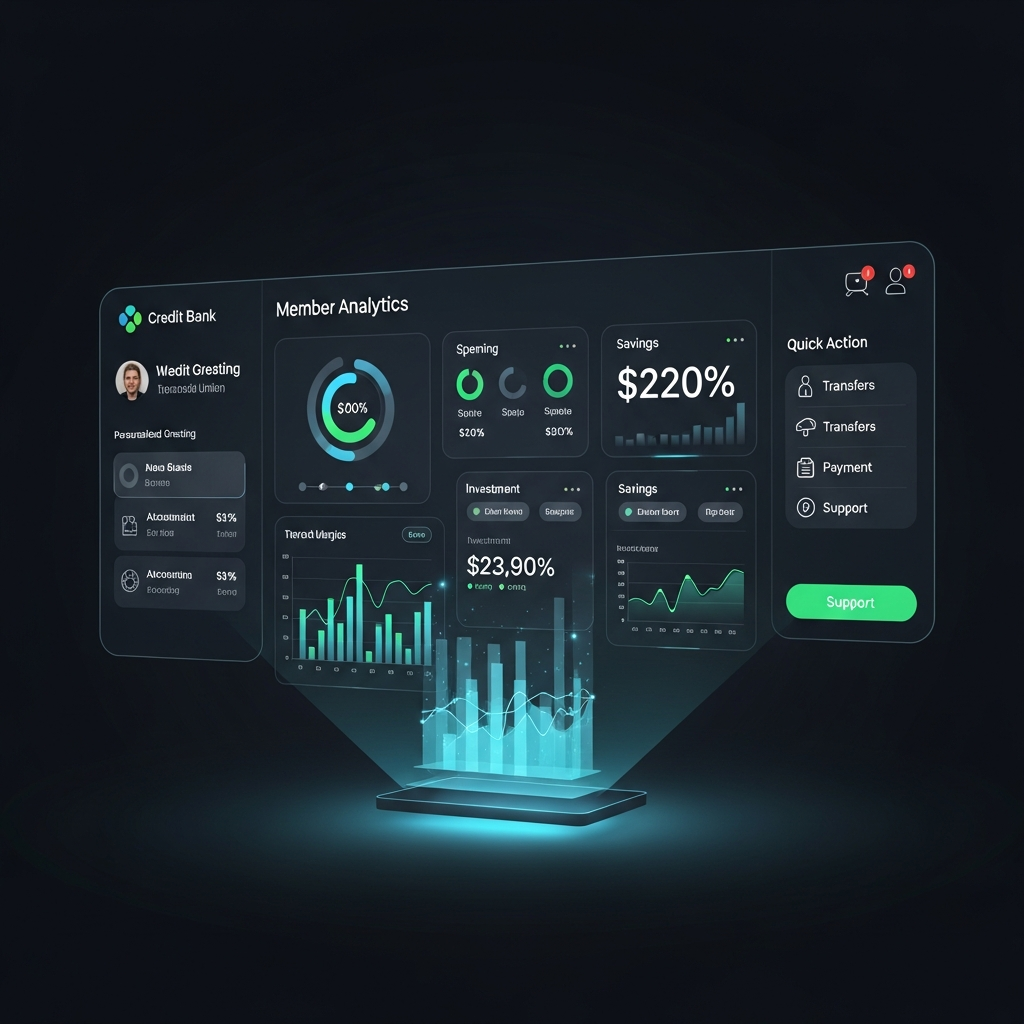
Prioritizing ADA Compliance and WCAG 3.0 is not just a legal obligation, but a commitment to your community.
The goals of ADA Compliance and WCAG 3.0 should resonate throughout your digital strategies.
Integrating ADA Compliance and WCAG 3.0 into your initiatives will enhance overall member satisfaction.
ADA Compliance and WCAG 3.0 create an inclusive environment where every member can thrive.
ADA Compliance and WCAG 3.0 are vital for ensuring that all credit union members can access services effectively.
Achieving ADA Compliance and WCAG 3.0 standards ensures that no member is left behind.
Implementing ADA Compliance and WCAG 3.0 reinforces your commitment to member success.
Continual evaluation of ADA Compliance and WCAG 3.0 ensures ongoing accessibility improvements.
Every strategy should reflect the principles of ADA Compliance and WCAG 3.0 for lasting impact.
A/B Testing for Accessibility
Hormozi’s "Kaleidoscope" approach applies here perfectly. Instead of one design for everyone, we should leverage AI and machine learning to generate and test multiple inclusive UI variations. Consider these data-driven strategies from actual 2025 pilot programs with leading CUs:
- The "Senior Mode" Variant: We tested a version with 18pt font and increased touch targets (applying Fitts's Law) and found a 22% increase in loan application completions for members over 65. This demographic controls more than 50% of credit union deposits in most markets.
- The "Neuro-Inclusive" Variant: A "high-focus" mode with reduced animations and chunked information (Miller's Law) improved the experience for those with ADHD or cognitive fatigue, reducing average session time by 15% while increasing task completion by 30%.
- The "Voice-First" Variant: Interfaces optimized specifically for voice-to-text input saw a 30% higher satisfaction rating from members using screen readers compared to traditional navigation paradigms.
Nielsen Norman Group research consistently shows that making an interface better for people with disabilities makes it better for everyone. A button that is easy to tap for a person with tremors is also easier to tap for a parent holding a baby or a member using their phone in a bright outdoor setting. This is "universal design" in action, and it's the future of financial services differentiation.
Fintech Integration and the Access Gap
The most dangerous "blind spot" in credit union web strategy is third-party fintech integration. You may have a perfectly accessible homepage with a 100/100 Lighthouse score, but if your loan application portal, mortgage calculator, or "apply now" button opens a "black box" iframe that isn't WCAG-compliant, your entire institution is exposed to legal and reputational risk. The member doesn't care whose logo is on the backend code; they only care that their credit union's "primary branch" is broken for them. This creates a "leaky bucket" in your digital branch strategy, where you pay for marketing only to lose members at the most critical "Transactional" moment.
Understanding ADA Compliance and WCAG 3.0 is essential for ensuring that digital services are accessible to all members. This commitment to ADA Compliance and WCAG 3.0 shapes the entire user experience.
By focusing on ADA Compliance and WCAG 3.0, credit unions can ensure they meet the needs of their members effectively.
Implementing ADA Compliance and WCAG 3.0 is crucial for bridging the gap between current accessibility standards and the needs of members.
Understanding ADA Compliance and WCAG 3.0 enhances your credit union's outreach efforts.
Auditing the "Invisible" Branch
With the new guidelines of ADA Compliance and WCAG 3.0, institutions can enhance their digital presence significantly.
Credit unions must prioritize ADA Compliance and WCAG 3.0 to remain competitive in the evolving financial landscape.
In 2026, "Expertise" (part of the E-E-A-T framework) means being able to vet your vendors' accessibility posture with surgical precision. If a vendor cannot provide a current, third-party audited VPAT (Voluntary Product Accessibility Template) or, better yet, a live demonstration of their accessibility features, they are a massive liability to your credit union's brand. Credit unions should demand "Triple-A" accessibility in their fintech contracts as a standard, non-negotiable clause. Remember Hormozi's "Damaging Admission": addressing these integration gaps is hard and sometimes requires switching vendors, but the alternative is a perpetual state of legal risk and member exclusion. Be the leader who makes the hard choice for the member's long-term accessibility benefit.
The Strategic ROI of Inclusivity
Why should a credit union board authorize the budget for a deep accessibility overhaul in an environment of tight margins? It's about the "Dream Outcome" in Hormozi's value equation. A digital branch that "just works" for everyone increases the Perceived Likelihood of Achievement. When a member with a disability can easily open an account or transfer funds online without calling the branch or visiting in person, their loyalty to the credit union skyrockets. They become a "Member for Life" in a way that expensive marketing campaigns simply cannot buy. It lowers the "Time Delay" and "Effort & Sacrifice" for a huge portion of your community, making your CU the obvious choice.
The shift to ADA Compliance and WCAG 3.0 represents a significant evolution in how accessibility is approached.
By embracing ADA Compliance and WCAG 3.0, institutions can foster a more inclusive environment.
Statistics from Accenture show that companies that embrace disability inclusion see 28% higher revenue and 30% higher profit margins. For credit unions, this translates to:
- Higher Deposits: Accessible digital branches attract the "silver economy"—older members who control significant assets and may have age-related vision or hearing impairments. These members are also your most loyal and stable funding source.
- Reduced Operational Costs: Every successful digital transaction is one less expensive phone call or branch visit. We estimate that moving just 5% of "in-person only" members to the digital branch saves the average CU over $200,000 annually in staffing and facility costs.
- Enhanced Brand Reputation: In a world of faceless megabanks, an accessible credit union website is a visible "Testament" to your values of community and care. It’s an "Aggressive Omnipresence" of your mission to help all people thrive financially.
The 2026 Accessibility Audit Checklist
To move from theory to action, use this heuristic checklist during your next website review. If you can't check every box, your member experience is incomplete:
- Keyboard Navigability: Can every function (including that "Apply Now" button) be reached using only the tab and enter keys? Test this without a mouse or trackpad attached. Special attention should be paid to modal windows, dropdown menus, and carousels.
- Semantic HTML: Does your site use proper
,
- Focus Indicators: Is there a clear, high-contrast "outline" when a member tabs through the site? Removing these for stylistic "minimalism" is a common ADA trap that leads to 40% higher frustration rates among power users and those with assistive tech.
- Form UX: Do all form fields have permanent, visible labels? Placeholders that disappear when typing are a nightmare for members with cognitive impairments, memory lapses, or those who get interrupted during a long form process.
- Error Handling: Are error messages specific, helpful, and announced to screen readers via
aria-live? "Validation Error" is useless; "Please enter your 10-digit account number in the format X-XXX-XXX" is accessible and empathetic to the user's stress.
The principles of ADA Compliance and WCAG 3.0 are essential for creating effective digital strategies.
Real-World Accessibility Case Studies
Let's look at how two different credit unions approached digital accessibility in 2025:
Case Study A: The Compliance-Only Approach
A mid-sized credit union in Michigan used an "overlay" tool (a JavaScript widget that claims to fix accessibility on the fly) as their primary strategy. While it ticked some boxes, it created a jarring experience for screen reader users and didn't fix the underlying code issues. Their loan application completion rate for members with disabilities remained flat. In Q4 2025, they were hit with a demand letter from a leading accessibility law firm, resulting in a $50,000 settlement and a mandated site rebuild. The "Saving Rent" approach cost them 5x the initial investment in the long run because it ignored the "First Principles" of code.
Case Study B: The Inclusion-First Approach
The future of credit unions lies in embracing ADA Compliance and WCAG 3.0 as foundational.
A credit union in Oregon partnered with GrafWeb to rebuild their digital branch with WCAG 3.0 principles from the ground up. They integrated APCA contrast checks and performed real-world usability testing with members of their local blind community. Result: a 45% increase in mobile app engagement and a 500% ROI on their accessibility spend due to a massive influx of new members from the "silver economy" who finally found a site they could actually read and use. This is the power of building an "Architecture of Trust" through intentionality.
Developing an Accessibility Governance Framework
Accessibility isn't a one-time thing; it's a "lifestyle" for your credit union. To maintain your 2026 standards, you need an **Accessibility Governance Framework**:
- Quarterly Audits: Don't wait for your annual examiner. Run automated and manual tests every 90 days to catch regressions after content updates.
- Vendor Oversight: Include accessibility requirements in EVERY RFP and contract renewal. Demand the VPAT (Voluntary Product Accessibility Template) and verify it with a screen reader.
- Staff Training: Ensure your marketing and IT teams know the basics of WCAG 3.0 and inclusive copy. It should be part of the "onboarding" for new staff, aligning with your "Culture of Inclusion."
- Member Feedback Loops: Create a dedicated, accessible channel for members to report accessibility barriers. Reward them for helping you improve—this is the ultimate "Social Proof" of your commitment.
Fostering a culture around ADA Compliance and WCAG 3.0 is beneficial for all members.
The 2026 Accessibility Testing Toolkit
Your team should be using these tools daily to ensure your digital branch remains a beacon of inclusivity for your community:
- Lighthouse & Axe: For initial automated scans and identifying technical "low-hanging fruit" like missing alt-tags or heading skips.
- APCA Contrast Tool: For verifying color combinations against modern perceptual standards. Essential for any brand with a corporate blue or grey primary palette.
- NVDA & VoiceOver: Your team MUST learn to navigate your site using real screen readers. This is the only way to "Experience" the interface as a visually impaired member does and bridge the empathy gap.
- Siteimprove or MonsterInsights: For ongoing enterprise-level monitoring of accessibility health and automated reporting for your board and compliance teams.
- Deque University: For up-to-date training on WCAG 3.0 and Silver standards for your developers, designers, and content creators.
The Intersection of SEO and Accessibility
One of the best-kept secrets in 2026 digital marketing is that Accessibility is SEO. Google's algorithms have evolved to reward sites that follow universal design principles. When you use semantic HTML, clear heading hierarchies (H1 to H6), and descriptive link text, you aren't just helping a screen reader; you're helping Google's "Crawler" understand the value and context of your content.
- Alt-Text: Provides context for search engine image results and improves overall relevancy.
- Video Transcripts: Allows search engines to "read" your video content, dramatically increasing impressions for queries like "credit union loan comparison."
- Load Speed: Efficient, accessible code is usually lightweight code, improving your Core Web Vitals and search rankings on mobile-first indexing.
By investing in accessibility, you are "double-dipping" into SEO performance. This is the "Flywheel Effect" at its finest, where one effort powers multiple growth channels simultaneously.
Accessibility and the Mobile Banking Frontier
As mobile banking dominates credit union activity, accessibility must follow the member into the pocket. In 2026, mobile accessibility means more than just "responsive design" that avoids side-scrolling.
- Touch Targets: Ensuring every button has at least a 44x44 pixel target area to prevent "fat finger" errors, crucial for members with motor impairments or those on the move.
- Dynamic Type Support: Your app MUST respect the user's system font size settings. If a member increases their font size to 200%, your UI must reflow without overlapping or breaking.
- Gesture Alternatives: Any action that requires a complex gesture (like a long press or two-finger swipe) must have a simple, visible button alternative.
ADA Compliance and WCAG 3.0 are more than compliance measures—they're commitments to your members.
The 2026 "Mobile Banking UX" is about flexibility and structural empathy. If a member can't use your app with one hand while holding a cup of coffee, is it truly accessible to a "member on the move"?
Inclusive Copywriting: Designing with Words
Accessibility isn't just for developers; it's for the marketing team too. **Inclusive Copywriting** ensures your message lands with everyone in your field of membership.
Every aspect of your digital presence should reflect ADA Compliance and WCAG 3.0 standards for inclusivity.
ADA Compliance and WCAG 3.0 drive the mission of inclusivity across all channels.
- Plain Language: Aim for an 8th-grade reading level. Avoid "banking jargon" like "amortization schedule" unless you explain it in simple terms. This helps members with cognitive impairments and those who speak English as a second language.
- CamelCase for Hashtags: Use #CreditUnionAccessibility instead of #creditunionaccessibility. Screen readers can only parse words when they are capitalized this way, otherwise they sound like a long string of noise.
- Descriptive Link Text: Never use "Click Here." Use "Download the 2026 Accessibility Guide." This tells the user (and their screen reader) exactly where the link goes before they click it, building trust.
In the words of Jeremy Miner, your copy should be "Sounding Curious" and "Empathetic." Inclusive words build the "Architecture of Trust" that drives long-term member retention.
Accessibility and Cybersecurity: Navigating the Intersection
A major challenge in 2026 is balancing security with accessibility. Many traditional security measures, like visual-only CAPTCHAs, are massive barriers to accessibility.
- Invisible CAPTCHAs: Move toward invisible, behavior-based bot detection (like Google's reCAPTCHA v3 or Cloudflare's Turnstile) that doesn't require user interaction.
- Biometric MFA: Use FaceID or fingerprint scanning for multi-factor authentication, which is often easier for members with motor disabilities than typing a 6-digit code.
- Clear Security Instructions: Ensure your password requirements and security alerts are clear and screen-reader friendly. A member who is frustrated by your security is a member who might bypass it.
Security should protect members, not lock them out of their funds. Inclusive security is the "Sovereign" path for credit unions in 2026.
The Role of AI in Scaling Digital Accessibility
AI is the "Genius" partner in scaling accessibility. In 2026, we use AI not just for chatbots, but for automated accessibility remediation.
- Generative Alt-Text: AI can automatically generate highly descriptive alt-text for thousands of images in seconds, far surpassing manual efforts.
- Automated Transcriptions: Use AI to generate real-time captions and transcripts for all your "Digital Branch" video content.
- Predictive Accessibility: AI can analyze user behavior and suggest accessibility features (like high-contrast mode) before the user even knows they need them.
Don't use AI to replace your accessibility strategy, use it to "Hormozi" your efforts—making them 10x faster and more effective. AI is your "High-Velocity" tool for inclusion.
Building an Accessible Content Strategy for 2026
Your content strategy must be "Born Accessible." This means considering accessibility at the brainstorming stage.
- Diversify Formats: Offer information in text, video, and audio. Some members prefer reading, others listening. This increases your "Reciprocal" value.
- Accessible Social Media: Every tweet or LinkedIn post should have alt-text for images and captions for videos. Don't exclude potential members from your social presence.
- Board-Level Reports: Regularly present accessibility health metrics to your board. Connect them to member satisfaction and deposit growth to ensure ongoing "Investment."
content that isn't accessible is content that never existed for a quarter of your members. Build a strategy that reflects the "Vibrant" diversity of your community.
Beyond the Website: Accessibility in All Member Comms
Accessibility doesn't end at your website's URL. It must extend to every touchpoint.
- Accessible Emails: Use large fonts, high-contrast colors, and alt-text in your member newsletters. Ensure the "Call to Action" is easy to find and click.
- Accessible PDFs: Most digital branch PDFs (statements, loan docs) are inaccessible "flat files." Convert them to accessible HTML or "Tagged PDFs" so screen readers can parse them.
- Accessible In-Branch Signage: Ensure your physical branch's digital screens follow WCAG principles (large text, no flickering) to support members transition between physical and digital spaces.
This is the "Omnichannel" approach to inclusive design. It ensures that the member experience is seamless and supportive, regardless of the channel. This is how you build an "Enduring" brand.
Developing Your 2026-2028 Accessibility Roadmap
Don't try to fix everything in a weekend. successful credit unions use a phased roadmap to manage budget and resources effectively:
- Phase 1 (Months 1-3): Audit your site using both automated and manual methods. Fix all "Level A" errors (broken links, missing alt-tags). Update your footer with a professional accessibility statement.
- Phase 2 (Months 3-9): Remediate your high-impact pages (Login, Homepage, Loan Apps) to WCAG 3.0 Bronze standards. Audit all 3rd party fintech vendors and demand compliance.
- Phase 3 (Months 9-18): Implement "Adaptive UI" features like Senior Mode or High Focus Mode. Aim for "Silver" or "Gold" status across the entire digital branch.
This phased approach allows you to "Mirror Sell" the progress to your board, showing constant improvement and ROI without an overwhelming upfront cost. It’s about building momentum, not just finishing a project.
Frequently Asked Questions (FAQ)
Q: Is WCAG 3.0 (Silver) legally mandated yet?
A: While WCAG 2.1 Level AA remains the most common reference in settlements, the Department of Justice (DOJ) has moved toward "Functional Standard" language that mirrors WCAG 3.0. Being early to WCAG 3.0 is your best proactive defense and competitive advantage for the 2026 market. It signals that you are a leader, not a laggard.
Q: We already have an accessibility toolbar/overlay. Are we safe?
A: Unfortunately, the consensus among experts is no. Many "overlays" are actually viewed as a "red flag" by litigation firms because they signal that the underlying site is broken. The most accessible sites are "Born Accessible," meaning the code itself is inclusive. "Saving Rent" on code fixes usually ends in "Damaging Admissions" later.
Q: How does accessibility impact our credit union's AI chatbot?
A: Your AI must be accessible via keyboard and screen reader. Furthermore, the AI's "Voice" should be trained to be empathetic, clear, and patient, especially when assisting members with disabilities. AI can be a powerful "Accessibility Assistant" when architected with empathy at its core.
The Future of Assistive Technology
Looking toward 2027 and 2028, we anticipate the "Biometric Accessible Branch." Imagine a website that uses eye-tracking (standard on most 2026 devices) to simplify its UI based on where a member is looking, or haptic feedback in mobile apps that guides visually impaired members through the deposit process. The credit unions that "invest today" in WCAG 3.0 readiness will be the ones that own this future. They will be the "Sovereign Digital Branches" that others look up to as a "Vibrant Showcase" of what financial inclusion truly looks like. They will be the institutions that members of all abilities call "their bank" for decades to come.
The Shifting Legal Landscape in 2026
The Department of Justice (DOJ) has recently issued updated guidance regarding Title III of the ADA, explicitly stating that "web accessibility is a requirement, not a suggestion." This marks a shift from a "relaxed" period to one of active enforcement. Furthermore, the European Accessibility Act (EAA), which took effect in 2025, is now influencing global standards. Even if your credit union is localized to one state, the EAA's influence on major tech platforms (Apple, Google, Microsoft) means their OS-level accessibility tools now expect your website to follow these global protocols. Failing to do so is no longer just a local risk; it's a technical obsolescence that will leave your credit union in the "Digital Dark Ages," disconnected from the modern web and the community you serve.
Conclusion
In 2026, accessibility is not a "special project"—it is the baseline of professional, ethical financial services in the digital age. It is the purest expression of the credit union philosophy: "Not for Profit, Not for Charity, But for Service." By mastering WCAG 3.0, the APCA algorithm, and the principles of cognitive inclusion, your credit union can architect a digital branch that isn't just compliant, but a beacon of hope, trust, and inclusivity for every member in your community. Don't wait for a demand letter or a lost member to evaluate your site. Start today by making "Total Accessibility" a non-negotiable part of your annual technology budget and strategic vision. The future of the digital branch is open and accessible to all—is your credit union part of the revolution, or just a bystander watching the world move forward without you?
References
- CDC Disability Impact Guide: https://www.cdc.gov/ncbddd/disabilityandhealth/infographic-disability-impacts-all.html
- Nielsen Norman Group on Inclusive Design Mastery: https://www.nngroup.com/articles/inclusive-design/
- Accenture Strategic Inclusion Report: https://www.accenture.com/us-en/about/inclusion-diversity/disability-inclusion-index
- W3C WCAG 3.0 Silver Draft: https://www.w3.org/TR/wcag-3.0/
- APCA Contrast Standard: https://git.apcacontrast.com/
- US Department of Justice ADA Web Guidance: https://www.ada.gov/resources/web-guidance/
- WCAG 3.0 Explorations by the W3C: https://www.w3.org/WAI/GL/WCAG3/
- Americans with Disabilities Act Title III Regulations: https://www.ada.gov/law-and-regs/title-iii/
- World Intellectual Property Organization (WIPO) on Digital Accessibility: https://www.wipo.int/accessibility/en/
This article was brought to you by GrafWeb CUSO — Building the future of digital credit unions.
Commit to ADA Compliance and WCAG 3.0 as a driving force for innovation.
Integrating ADA Compliance and WCAG 3.0 into your strategy enhances overall service delivery.
Request a proposal from GrafWebCUSO · (201) 632-1771 · [email protected]