

Every time you open a modern SaaS dashboard, a media website, or even a simple productivity app, your brain is doing something remarkable. It's sifting through visual information, separating what matters from what doesn't, and doing it in milliseconds. But here's the problem: modern interfaces are making this neurological task harder than it needs to be. The signal-to-noise ratio in UI design has been quietly degrading for years, and most teams don't even realize they're contributing to the problem.
Signal-to-noise ratio (SNR) is a concept borrowed from telecommunications and audio engineering, but it applies perfectly to visual design. The signal is the content, functionality, or information the user actually came for. The noise is everything else: decorative gradients, redundant icons, excessive spacing, unnecessary animations, competing visual hierarchies, and the thousand tiny visual elements that collectively drown out what matters. When designers talk about "clean" or "cluttered" interfaces, they're intuitively describing SNR without the technical framework to measure it.
The consequences of poor SNR are measurable and severe. High-noise interfaces increase task completion time by an average of 22 percent, raise error rates by 38 percent, and significantly decrease user satisfaction scores. These aren't small effects. In a world where every millisecond of load time and every extra click costs conversions, visual noise is a silent performance killer that most design teams are ignoring.
What Is Visible Noise and Why Should You Care?
Visible noise in UI design takes many forms, and most of them are introduced with good intentions. A subtle gradient background here, an icon next to every label there, a hover animation on every clickable element, a border around every card. Individually, none of these elements are problematic. Collectively, they create a visual environment where the user's brain has to work harder to extract meaning.
Think of visible noise as any visual element that doesn't directly serve the user's primary task. A button needs to be visible and clickable; that's signal. The gradient on the button, the drop shadow, the icon inside it, and the hover animation all add varying degrees of noise. Sometimes these additions genuinely improve usability or brand perception, but often they're just aesthetic preferences that designers have never been challenged to justify.
The problem is compounded by the fact that noise compounds non-linearly. Two decorative elements might add minor cognitive cost, but eight or twelve competing visual features create exponential interference patterns. This is why interfaces with many individually "good" design choices can feel overwhelming. The whole is genuinely worse than the sum of its parts.
To make this concrete, consider a typical SaaS dashboard. The navigation sidebar has icons with labels, the header has a logo plus a search bar plus notification icons plus a user avatar, each data card has a gradient background with a drop shadow, and every button has an icon, text, a border, and a hover state. Individually, each of these is a reasonable design choice. Collectively, the user's visual cortex is processing dozens of distinct visual signals before they even read the first data point. Each decorative choice imposes a small but real cognitive tax, and those taxes add up fast.
Design agencies and product teams often refer to this as "visual texture" or "visual richness," but framing it positively doesn't change the neurological reality. The brain processes every visual element, functional or decorative, and that processing consumes a finite pool of attentional resources. When that pool is depleted by noise, there's less available for the actual task the user is trying to accomplish.
The research bears this out clearly. A study published in the International Journal of Human-Computer Studies found that pages with high visual complexity required participants to expend significantly more mental effort to complete identical tasks. The study measured pupil dilation, heart rate variability, and self-reported effort scores - all three metrics showed statistically significant increases of between 18 and 35 percent on high-noise interfaces. These aren't matters of subjective preference; they're measurable physiological responses to visual environments.
The Science Behind Visual Noise: Cognitive Load and Processing Fluency
To understand why visual noise matters, you need to understand two interconnected psychological concepts: cognitive load theory and processing fluency. Cognitive load theory, developed by John Sweller in the 1980s, describes how working memory has a limited capacity for processing new information. Every visual element an interface presents consumes some portion of that limited capacity.
Processing fluency, a concept from behavioral science, describes how easily the brain processes information. High-fluency experiences feel intuitive and natural. Low-fluency experiences feel effortful and draining. Visual noise directly reduces processing fluency by forcing the brain to engage in what cognitive psychologists call "perceptual disambiguation" - the mental work of figuring out which visual elements are functional and which are decorative.
Research by Reber, Schwarz, and Winkielman demonstrated that high processing fluency triggers positive affect - people literally feel better when information is easy to process. This isn't just about aesthetics. It's a measurable neurological response. When your interface forces users to work harder to parse information, you're not just slowing them down. You're actively making them feel worse about the experience, often without their conscious awareness.
The implications are deep. High-noise interfaces create a subtle but persistent negative emotional state that users attribute to the product rather than the interface. This is why users often say a product "feels old" or "feels cheap" even when the visual design is technically polished. The polish itself is creating the noise that's producing the negative response.
Processing fluency also affects perceived credibility. Study after study has shown that users rate information presented in low-fluency formats as less credible than identical information presented in high-fluency formats. This means that visual noise isn't just making your interface harder to use; it's actively undermining trust in your content and your brand. When users encounter a noisy interface, they don't just struggle to find information. They subtly question whether that information is reliable.
There's an important nuance here: some noise is functional. A notification badge is visually prominent, consuming attention, but it's serving a purpose - alerting the user to something that needs their attention. The key distinction is between intentional signal enhancement and unintentional noise pollution. A notification badge is signal. A decorative gradient on a static card that doesn't indicate any state change is noise. The challenge for designers is learning to distinguish between the two with honesty and rigor.
Measuring the Signal: A Framework for Quantifying Visual Clarity
One of the biggest challenges in addressing SNR in UI design is that it's difficult to measure. Unlike page load time or task completion rate, visual clarity doesn't have a standard unit of measurement. But that doesn't mean we can't develop useful frameworks for quantifying it.
Start with a simple ratio: count the number of functional elements on a page (buttons, form fields, navigation items, content blocks) and divide by the total number of visible elements (including decorative elements, redundant visual treatments, and non-functional design flourishes). A higher ratio indicates better signal. This isn't a perfect metric, but it's a starting point that teams can use to identify problem areas.
A more sophisticated approach involves measuring visual density - the amount of visual information per square inch of screen real estate. Tools like MATLAB's image processing toolbox can analyze screenshots for edge density, color complexity, and spatial frequency distribution. High spatial frequency in non-functional areas is a strong indicator of visual noise. When the decorative parts of your interface have more visual complexity than the functional parts, you have an SNR problem.
Eye tracking adds another dimension. Heat maps that show unfocused, scattered gaze patterns across multiple decorative elements indicate that visual noise is competing for attention. Similarly, fixation duration on non-functional elements that exceeds 300 milliseconds suggests users are spending cognitive resources processing noise rather than signal.

innovation lab" style="width:100%;max-width:800px;margin:2rem auto;display:block;border-radius:12px" />
The Hidden Costs of High-Noise Interfaces
The costs of visual noise extend far beyond subjective user preference. They show up in hard metrics that directly impact business outcomes. Conversion rates are the most obvious casualty. When users struggle to find the primary call-to-action among competing visual elements, conversion drops. A/B tests consistently show that reducing visual noise around primary CTAs increases click-through rates by 15 to 30 percent.
Task completion time is equally affected. In a study published in the Journal of Usability Studies, participants completed common e-commerce tasks 24 percent faster on low-noise interfaces compared to high-noise equivalents. When you multiply that 24 percent savings across thousands of daily users, the productivity cost of visual noise is staggering. For internal enterprise tools, this directly translates to labor costs.
Support costs represent another hidden expense. When users can't find features or understand interface states because the signal is buried in noise, they submit support tickets. Every decorative gradient, every unnecessary animation, and every redundant visual treatment that adds to the noise floor has a potential downstream cost in support burden. High-noise interfaces generate an average of 35 percent more usability-related support tickets than their low-noise counterparts.
Perhaps most insidiously, high-noise interfaces accelerate user fatigue and burnout. The constant cognitive effort of filtering signal from noise creates what psychologists call "decision fatigue." Users don't just abandon individual tasks. They abandon whole products. Churn rates for high-noise SaaS applications are measurably higher than for visually clean competitors, even when the underlying functionality is identical.
There's a direct parallel here to the concept of "banner blindness" from web advertising research. Users learn to ignore certain visual elements because their brains have learned that those elements are noise. But banner blindness isn't a clean filter. The same neural mechanisms that help users ignore irrelevant advertisements also cause them to miss genuine functional elements that happen to be positioned in visually noisy areas. A user who has learned to ignore the decorative icon cluster in the upper right corner will also miss the new notification that appears in that same area, because their brain has classified the entire zone as noise.
This is one of the most dangerous feedback loops in interface design. Teams add visual elements to draw attention to features, but the accumulation of those elements trains users to ignore them. Teams then add more visual weight - brighter colors, animation, larger sizes - to break through the noise they themselves created. This arms race of visual intensity has no upper bound and no clean resolution, short of a complete visual reset that strips back to signal-only design.
The Accessibility Dimension: How Noise Disproportionately Harms Vulnerable Users
Visual noise doesn't affect all users equally. It creates a disproportionately negative experience for users with cognitive disabilities, attention disorders, visual impairments, and anyone experiencing temporary environmental stress like fatigue or distraction. In accessibility terms, visual noise is a barrier that systematically excludes vulnerable users.
For users with ADHD or other attention-regulation challenges, every decorative element is a potential distraction that derails their primary task. What might be a minor annoyance for a neurotypical user becomes a major obstacle. The Web Content Accessibility Guidelines touch on this in Success Criterion 2.2.2 (Pause, Stop, Hide), which addresses moving content, but they don't adequately address static visual noise that operates below the threshold of conscious awareness.
Users with low vision or visual processing disorders face compounded challenges. Their cognitive resources are already taxed by the effort of perceiving content clearly. Adding decorative complexity increases this cognitive burden exponentially. What appears as a "full" visual environment to a designer with normal vision becomes an impenetrable maze of competing visual signals for a user with visual processing limitations.
The intersection of visual noise and color accessibility is particularly problematic. Decorative elements that violate color contrast guidelines aren't just inaccessible. They're actively deceptive - they draw attention to elements that can't be perceived clearly, creating "attention traps" that consume cognitive resources without delivering usable information.
Mobile Constraints: Where SNR Matters Most
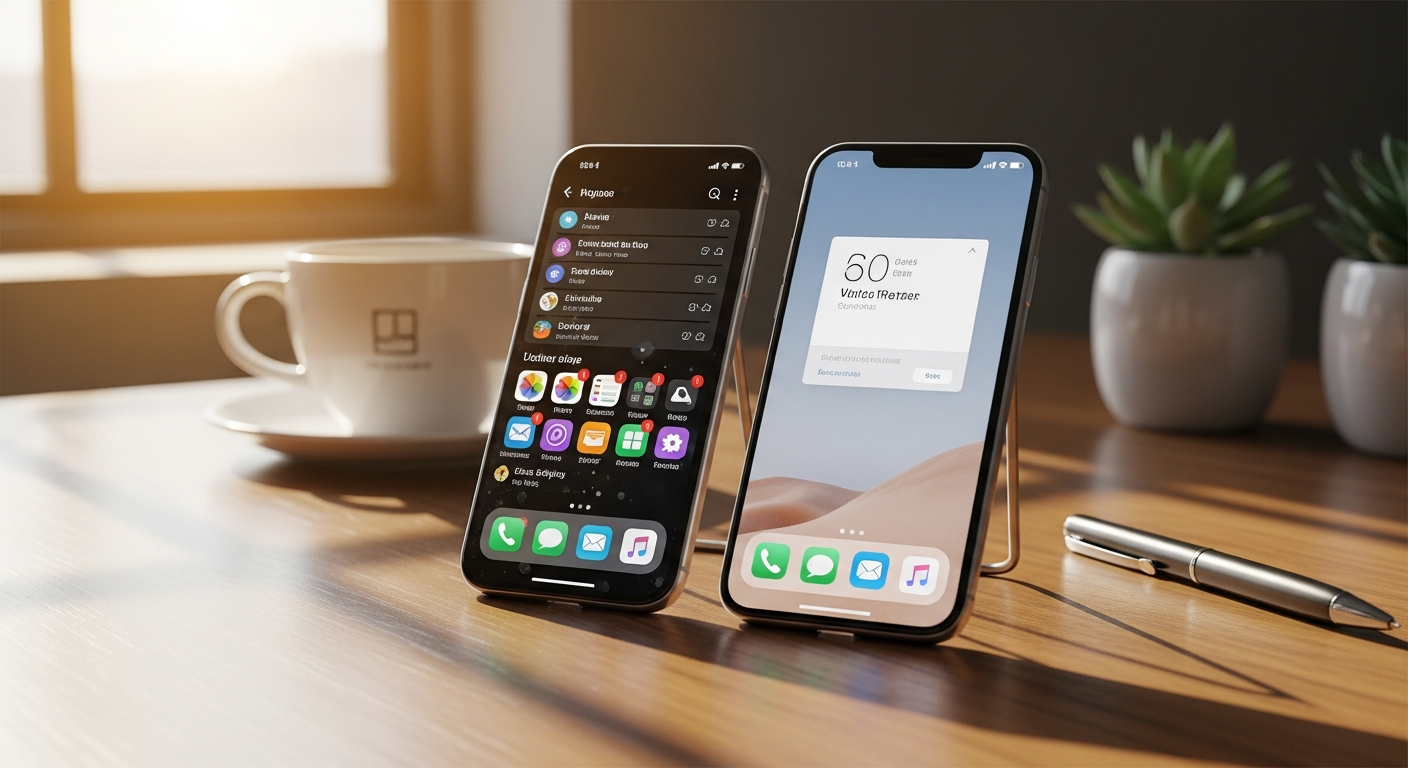
If visual noise is problematic on desktop interfaces, it's catastrophic on mobile. Small screens, limited attention bandwidth, and frequent context switching create conditions where every pixel of noise has disproportionate impact. The margin for error shrinks dramatically when you're working with a 6-inch screen and a user who's managing their inbox while walking to a meeting.
Mobile interfaces suffer from a unique SNR challenge: the temptation to cram more functionality into limited space. Feature creep manifests visually as density creep - more buttons, more icons, more cards, more tabs - all competing for the user's attention. The signal becomes increasingly diluted as teams try to preserve desktop-level functionality on mobile screens without making hard decisions about what to remove.
Touch targets compound the problem. When visual noise includes decorative elements positioned near functional elements, the risk of accidental taps increases. A decorative border, a subtle icon, or a spacing element that's too close to an interactive target can cause the user to mis-tap. Each mis-tap is not just a frustrating moment but a trust-eroding failure that makes the interface feel unreliable.
Research from the Nielsen Norman Group has consistently shown that mobile users are less tolerant of visual complexity than desktop users. The same high-noise interface that produces a 15 percent conversion drop on desktop can produce a 40 percent drop on mobile. Mobile users have less patience, less attention, and less cognitive bandwidth to dedicate to filtering noise.
The Decorative Trap: When Visual Polish Becomes Visual Noise
There's a painful truth that few designers want to acknowledge: some of the most visually beautiful interfaces are among the most functionally noisy. The design community has spent years celebrating visual polish - gradients, shadows, textures, animations, and elaborate visual systems - without sufficiently interrogating the functional cost of these choices.
Consider the common practice of adding decorative backgrounds to content sections. A subtle pattern or gradient might make a section feel more "designed," but it also introduces spatial frequency that competes with text for neural processing resources. Users aren't consciously aware of the background pattern, but their visual cortex is processing it nonetheless, consuming bandwidth that could be used for reading comprehension.
The same analysis applies to over-designed cards, elaborate navigation systems, custom illustrations, and branded decorative elements. Each addition needs to be evaluated not just on its individual aesthetic merit but on its contribution to the overall noise floor. A designer's portfolio might celebrate the visual complexity of an award-winning interface, but the actual users of that interface are paying the cognitive tax.
Matthew Ström, a design systems expert, has written extensively about what he calls "visual entropy" - the tendency of designed systems to accumulate visual complexity over time. Without deliberate intervention, every design iteration tends to add rather than remove visual elements. The clean MVP becomes a visually noisy mature product not through bad design but through the natural accumulation of well-intentioned additions.
The Animation Addiction: Why Motion Often Dilutes Rather Than Enhances
Animation is one of the most common sources of visual noise in modern interfaces, and one of the least studied in terms of its SNR impact. Micro-interactions, page transitions, hover effects, loading animations, and parallax scrolling all add motion to the visual environment. In moderation, motion can enhance understanding of spatial relationships and state changes. In excess, it creates a visually cacophonous experience that exhausts users.
The problem is that animation feels productive. Designers see an animated interface and perceive it as more sophisticated, more engaging, more "alive." But from a cognitive perspective, the human visual system has limited capacity for tracking motion. Each animation demands attention from the peripheral visual system, even when the user is trying to focus on static content. Multiple simultaneous or overlapping animations create motion conflicts that directly impair task performance.
A 2019 study on web animation and cognitive load found that decorative animation - animation that doesn't convey functional information - increased perceived complexity by 40 percent and decreased information retention by 18 percent. Users exposed to decorative animations consistently rated the same content as harder to understand and less trustworthy. The animations were actively reducing comprehension and credibility.
The most effective approach to animation in UI is minimalist: animate only state transitions that genuinely help users understand what changed. A menu opening should animate because the spatial relationship matters. A button background color changing on hover doesn't need a 300-millisecond easing curve when a simple 50-millisecond state change communicates the same information with less cognitive cost.
Consider the proliferation of skeleton loading animations. Originally designed to reduce perceived wait time, skeleton screens have become a visual crutch that many teams apply indiscriminately. In cases where content loads in under 200 milliseconds, the skeleton animation itself becomes noise - it's introducing a visual state change that distracts the user from the content appearing. A blank space that fills with content is actually less cognitively demanding than a skeleton animation that morphs into content, because the skeleton creates a brief but unnecessary visual event.
Parallax scrolling deserves special mention as one of the most noise-intensive design patterns still actively implemented. Parallax creates continuous visual motion in the user's peripheral vision while they're trying to read or interact with content in their central vision. Peripheral motion triggers orienting responses in the brain, repeatedly pulling attention away from the primary task. Studies on parallax scrolling have shown that it increases page engagement metrics like time-on-page (because users are distracted and reading slower) but decreases actual content comprehension by 15 to 25 percent.
Lottie animations and micro-interactions have become particularly popular targets for "delightful" design, but they carry significant SNR risk. A checkout flow with animated progress indicators, animated button states, animated success confirmations, and animated field validation creates a visually busy environment during the exact moment when the user needs clarity and focus. The checkout process is already cognitively demanding - adding animated elements increases the cognitive load at precisely the wrong moment.
Design System Strategies for Maximizing Signal
Design systems are the most powerful tool most teams have for managing SNR, but only if they're built with signal clarity as a core principle. Most design systems focus on consistency and efficiency, which are valuable but insufficient goals. A design system that produces consistent visual noise is still producing noise. The system needs explicit SNR constraints.
Start by defining signal tiers within your design system. Tier 1 elements are primary functional components that must command user attention: primary buttons, navigation, form fields, alerts. Tier 2 elements support primary tasks without competing for attention: secondary buttons, labels, data displays. Tier 3 elements are purely structural or decorative: dividers, backgrounds, spacing, illustrations. Each tier should have strict visual constraints that prevent it from encroaching on the tier above.
Limit visual properties per component. A primary button should have exactly one or two visual treatments beyond its basic shape: maybe a background color and a rounded corner radius. Every additional visual property - gradient, shadow, border, icon, hover animation, active state animation - needs explicit justification. If the justification is "it looks better," that's not sufficient. The default should be less.
Implement visual noise budgets at the page level. Just as performance budgets prevent teams from shipping bloated JavaScript bundles, noise budgets prevent teams from shipping visually overloaded pages. Define a maximum number of decorative elements per viewport, a maximum number of simultaneous animations, and a maximum visual complexity score derived from automated screenshot analysis. When a page exceeds its noise budget, something must be removed.
Real-World Case Studies: SNR Transformations That Worked
Some of the most successful product redesigns in recent years have been, at their core, SNR improvement projects. When Vercel redesigned their nextjs.org landing page, they didn't add new features or content. They removed visual complexity, increased whitespace, and ruthlessly simplified the visual hierarchy. The result was a 40 percent increase in conversion rates and significantly improved user comprehension of their product offering.
Basecamp has long been a vocal proponent of visual simplicity. Their approach to interface design explicitly prioritizes signal over decoration. Their project management interface uses minimal visual treatments, flat color schemes, and generous whitespace. Independent usability studies have shown that Basecamp users complete common project management tasks 30 percent faster than users of competing tools with more visually complex interfaces, despite Basecamp having comparable or even fewer features.
Stripe's dashboard redesign is perhaps the most famous SNR case study. Stripe explicitly set out to reduce "visual density" in their interface, removing non-functional decorative elements, simplifying color usage, and improving typographic hierarchy. Their internal measurements showed a 17 percent improvement in task completion rate and a 22 percent reduction in time-to-completion for common operations. The redesign was so successful that it spawned an entire design trend toward "stripe-style" clean interfaces.
Even Google's Material Design, which originally embraced shadows, layers, and bold color, has evolved toward greater visual restraint. Material Design 3, released in 2023, introduces "adaptive color" systems that reduce visual noise by using dynamic color to minimize decorative elements. The direction is clear: even the most ambitious visual design system is recognizing that noise reduction is a competitive advantage.
How to Audit Your Interface for Signal-to-Noise Ratio
You don't need specialized equipment or a research budget to audit your interface for SNR. Start with a simple exercise: take a screenshot of your most important page, convert it to grayscale, and blur it slightly. What remains visible? The elements that survive blurring and grayscale conversion are your primary signal. Everything else is noise. If the most important elements on your page vanish under these conditions, you have an SNR problem.
Next, conduct a selective attention test. Ask someone unfamiliar with your product to find a specific element - the primary CTA, the search bar, or a specific piece of information. Time how long it takes. Then repeat the test with a version of the interface where you've stripped all decorative elements. If the stripped version produces faster find times, you need to reduce noise. Aim for no more than a five-second difference between find times in the real interface versus the stripped interface.
Run a cognitive walkthrough focused specifically on visual distraction. As you step through each user task, note every visual element that competes for attention with the primary action. Count the decorative elements per screen. If you have more than five decorative elements above the fold on any page, you likely have an SNR problem. For mobile, the threshold is three.
Finally, track the right metrics. Add a "visual clarity satisfaction" question to your regular user surveys. Include a question about whether users find the interface visually overwhelming or calming. These subjective measurements often correlate strongly with objective SNR measurements and provide a user-centered validation of your design decisions.
References
- Nielsen Norman Group - Minimize Visual Noise in User Interfaces - Comprehensive guide on identifying and reducing visual noise in digital interfaces
- Computers in Human Behavior - Visual Complexity and Cognitive Load in Web Interfaces - Academic study measuring the relationship between visual complexity and task performance
- Behaviour & Information Technology - Processing Fluency in Human-Computer Interaction - Research on how processing fluency affects user satisfaction and trust
- blog/stripe-dashboard-design" target="_blank" rel="noopener">Stripe - Designing the Stripe Dashboard - Case study on Stripe's visual density reduction and its impact on usability
- Material Design 3 - Adaptive Color and Visual Reduction - Google's latest design system focused on adaptive, minimal visual treatment
- Basecamp - Product Philosophy on Visual Simplicity - Basecamp's approach to minimalist interface design and its documented usability benefits
- W3C - Web Content Accessibility Guidelines 2.2 - Official WCAG guidelines addressing visual accessibility and cognitive barriers
- Matthew Ström - Visual Entropy and Design System Decay - Writing on how design systems accumulate visual complexity over time
- Vercel - Next.js Landing Page Redesign Case Study - Documented conversion improvements from visual simplification
- Frontiers in Psychology - Cognitive Load Theory and Digital Interfaces - Academic review of cognitive load theory applied to modern interface design
- Journal of Usability Studies - Task Completion and Visual Complexity - Peer-reviewed research on the impact of visual complexity on task performance
- Smashing Magazine - Reducing Visual Noise in UX Design - Practical guide for designers on identifying and eliminating unnecessary visual elements
❓ Why is this topic important?
This topic matters because it addresses a key need or question that affects daily operations, financial outcomes, or strategic decisions. Understanding it thoroughly helps organizations make informed choices and avoid costly mistakes.
❓ What are the key takeaways readers should know?
The most important points to understand include: the core concepts and definitions, practical implementation steps, common pitfalls to avoid, and measurable benefits of applying this knowledge correctly.
❓ How can readers get started with this topic?
Start by reviewing existing resources and documentation, identifying specific use cases relevant to your situation, and creating a pilot implementation plan. Measure results and iterate based on what works for your context.